Licenses
Monitor Usage
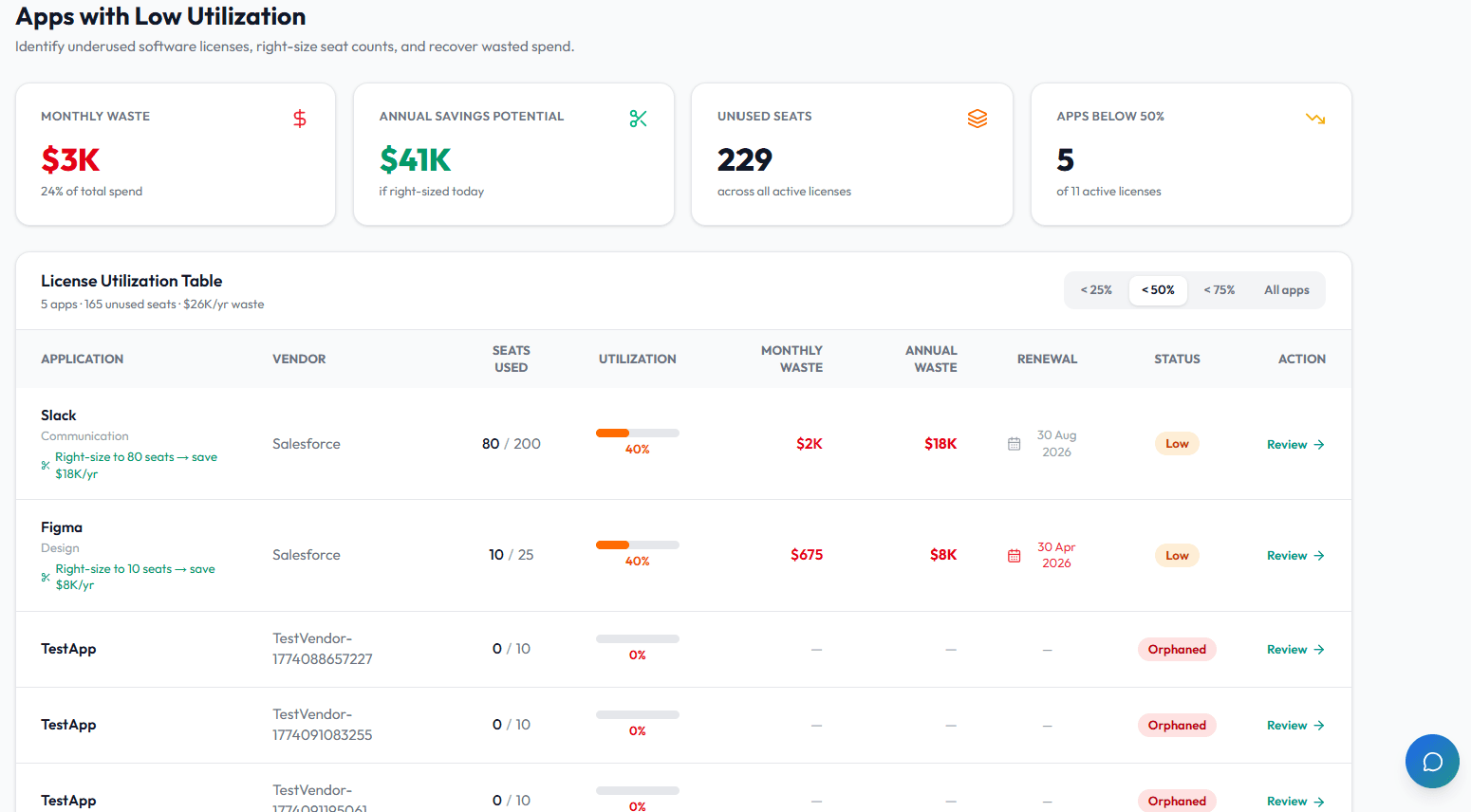
Review app usage, identify idle seats, and decide whether access should be reclaimed.
5 min readUpdated 14 May 2026
Overview
Use this guide to review app usage, identify idle seats, and decide whether access should be reclaimed.
Goal
Find underused applications and create a clear follow-up action for each unused or idle seat.
Before You Begin
- Sign in to Liceo.
- Make sure license and assignment data exists.
- Confirm the app has usage data from an integration or manual review.
Step 1 - Open usage data
- 1Open Intelligence in the left sidebar.
- 2Select Analytics or Low Utilization.
- 3Review the list of apps and usage signals.
Step 2 - Find a low-utilization app
- 1Filter by app, vendor, owner, department, or status.
- 2Sort by utilization, idle seats, unused seats, or spend.
- 3Select an app with low utilization.
- 4Open the license detail page.
Step 3 - Review assigned users
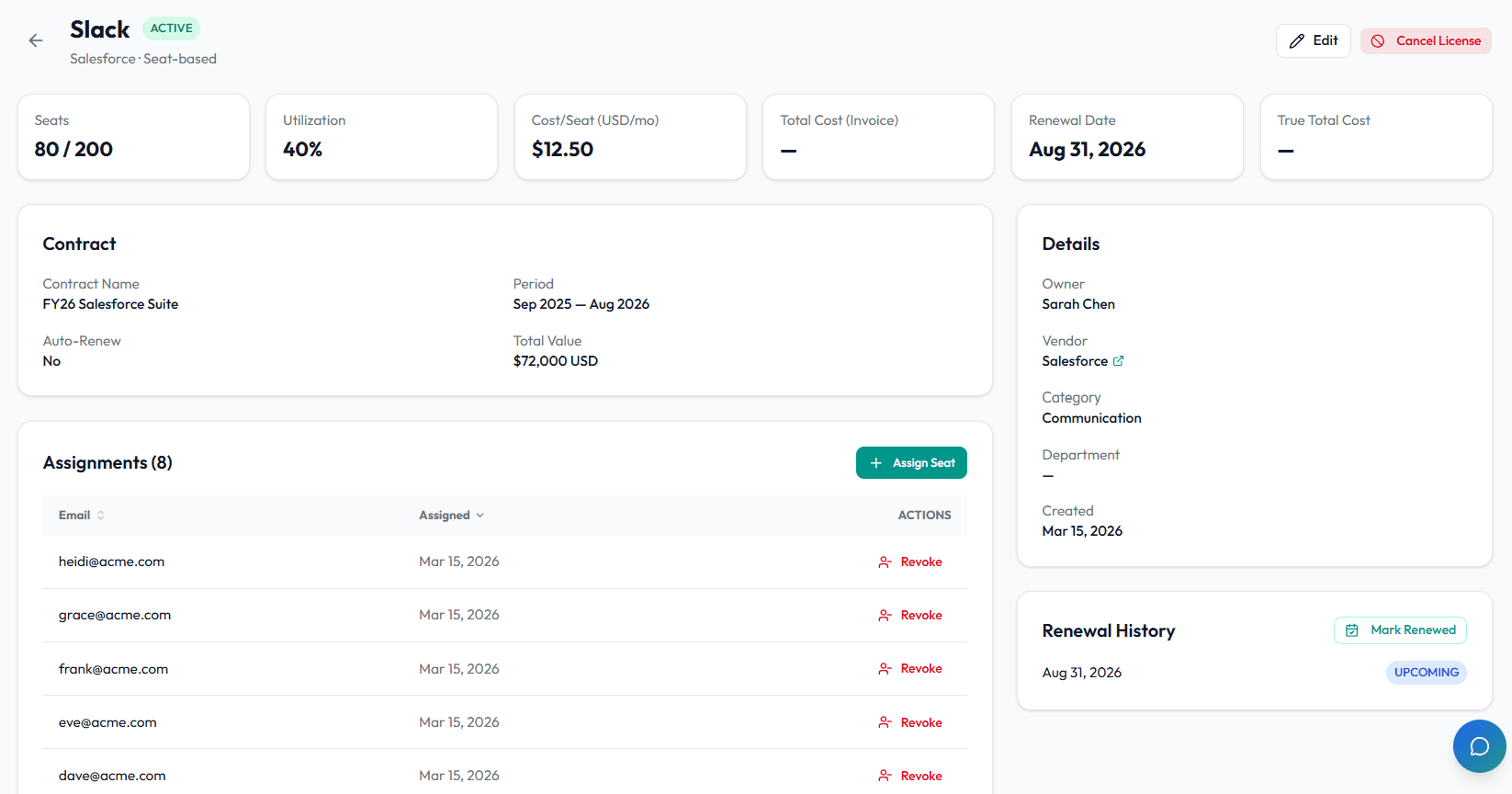
- 1Scroll to Assignments.
- 2Review each assigned user.
- 3Check assigned date and any activity information available.
- 4Identify users who appear inactive or no longer need access.
Step 4 - Confirm before reclaiming access
- 1Contact the app owner.
- 2Share the inactive or idle user list.
- 3Ask whether each user still needs access.
- 4Mark users as keep, reclaim, downgrade, or review later.
Step 5 - Reclaim or adjust seats
- 1Remove or downgrade access in the source system if appropriate.
- 2Update the license record if seat count changes.
- 3Wait for the next sync if access is managed by an integration.
- 4Reopen the app record and confirm the updated assignment count.
- 5Record the decision in notes if available.
Step 6 - Review trends regularly
- 1Repeat the review monthly for high-cost apps.
- 2Review apps before renewal windows.
- 3Compare 30-day and 90-day usage where available.
- 4Watch for duplicate tools used by separate teams.
Troubleshooting
Usage data is missing
Confirm the integration provides usage data for that app. Some apps only provide assignment data.
A user appears idle but still needs access
Confirm with the app owner before removing access. Some access is seasonal, backup, or compliance-related.
Utilization does not change after reclaiming seats
Wait for the next sync, then reopen the license record.
Was this article helpful? Send us feedback
← Back to Help Center